Skip to content

routine guide

LipSense Moisturizing Gloss customization

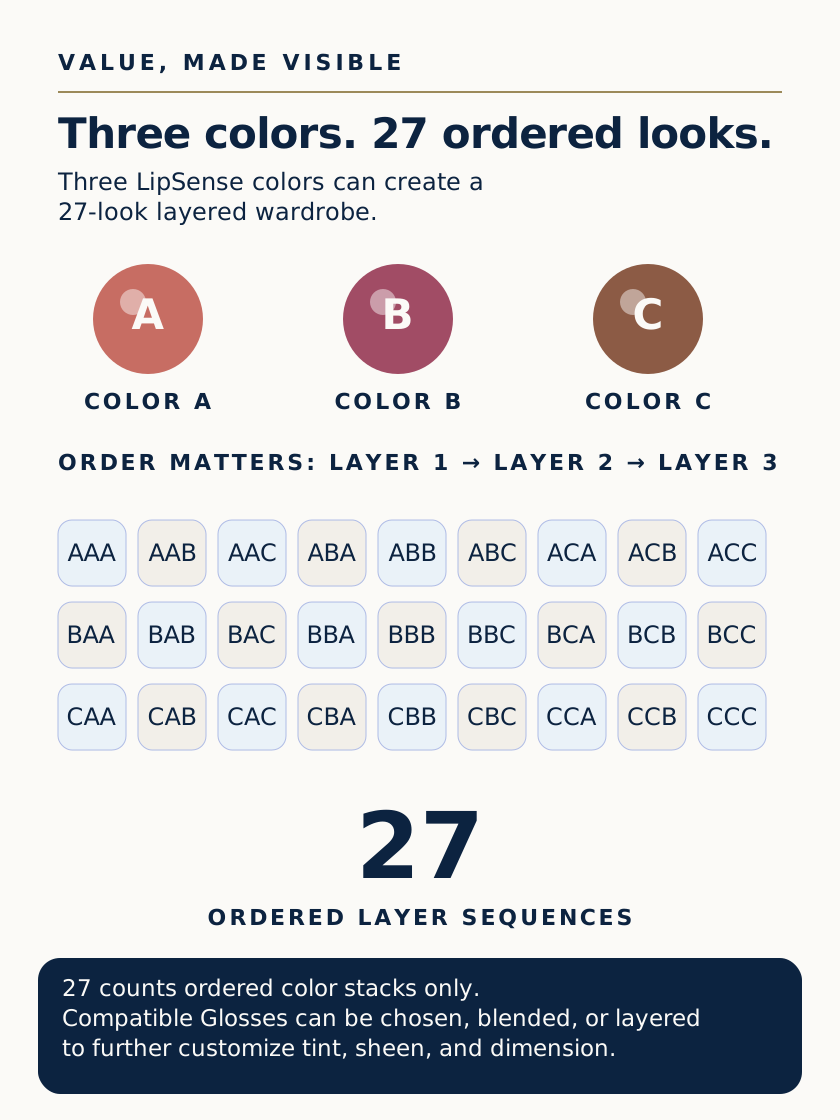
Gloss customization happens after the three color layers set. The 27-look count belongs only to the three selected Lip Colors across three ordered color positions; Gloss choices expand finish customization but are not part of that calculation.

Routine details

Customized tint, sheen, and dimension through compatible Moisturizing Gloss choice, blending, or layering

choose, blend, or layer compatible LipSense Moisturizing Glosses after the three color layers set

After the third LipSense color layer sets, choose, blend, or layer compatible LipSense Moisturizing Glosses to customize tint, sheen, and dimension.

What it helps you do
customized tint, sheen, and dimension through compatible Moisturizing Gloss choice, blending, or layering
When to use it
after each three-layer LipSense color application and during Gloss refreshes
References and current sources

put it into practice

how to use this guidance

Gloss customization happens after the three color layers set. The 27-look count belongs only to the three selected Lip Colors across three ordered color positions; Gloss choices expand finish customization but are not part of that calculation.

  1. Layer LipSense color and customize with Glosslearn

questions this routine guide answers

  1. ?Can you wear other gloss with LipSense?answer